Meta Ads can move people from Facebook or Instagram directly into a WhatsApp conversation, making the journey from advertisement to enquiry relatively short. But a high number of chats does not automatically mean a successful campaign.
Businesses can still receive irrelevant questions, people outside the service area, enquiries with no buying intent or conversations that never receive a proper follow-up. The goal is not simply to generate more WhatsApp messages. It is to attract relevant people, start useful conversations, qualify them efficiently and move appropriate leads toward an appointment, consultation, quotation or sale.
This guide explains that full process step by step for Indian businesses—from ad click to WhatsApp conversion and campaign optimization.
Quick Answer: How Do Meta Ads Generate WhatsApp Leads?
- Define the type of lead you want.
- Create a clear offer.
- Run a Meta ad that sends people to WhatsApp.
- Match the ad message with the opening conversation.
- Respond quickly.
- Ask a small number of qualification questions.
- Move suitable leads toward the next business action.
- Follow up if the person does not respond.
- Record lead quality and outcomes.
- Optimize using actual conversation quality, not only message volume.
What Are Click-to-WhatsApp Ads?
Click-to-WhatsApp ads let someone viewing an advertisement on a Meta platform enter a WhatsApp conversation with the business. The person does not have to find a number manually, copy it, open WhatsApp separately and search for the business again. That shorter path can reduce friction when a conversation is the natural next step.
Meta currently supports messaging-ad experiences that can direct people into WhatsApp conversations. The available setup choices and their names can change, so businesses should verify what is currently available inside their own account instead of relying on an old screenshot or a rigid button-by-button guide.
When Should a Business Use WhatsApp for Lead Generation?
WhatsApp can be useful when customers normally need a short conversation before taking action. An Ayurvedic clinic might handle a treatment or consultation enquiry; a healthcare clinic an appointment request; a gym a trial or membership discussion; an education institute course counselling; a real-estate team project details or a site visit; a spa a booking; and a B2B company a product requirement.
Conversation-led decisions
WhatsApp suits offers where a few questions help the prospect choose a service, confirm availability or book the next step.
Operational readiness
It is less suitable when nobody responds consistently, the team cannot handle volume, extensive form data is required first, or outcomes are never tracked.
Step 1: Define a Qualified WhatsApp Lead Before Running Ads
A chat should not automatically be counted as a qualified lead. A useful definition might include the correct location, a relevant service requirement, suitable budget or eligibility, a realistic timeline, a valid business or customer need, and willingness to continue the conversation.
This distinction prevents the marketing team from optimizing for message volume while the sales team receives unusable enquiries. Write the criteria down before launch and use the same definitions in reporting.
Step 2: Give People a Clear Reason to Start a WhatsApp Conversation
“Message us for more information” is often weak because it does not tell the person what they will receive. A better offer is clear, relevant, easy to understand, honest and connected to the next sales step.
Avoid fake urgency and misleading offers. A promise the team cannot fulfil may create more chats but weaker trust and poorer lead quality.
Step 3: Set Up the Meta Ads Campaign for WhatsApp Conversations
Plan the system conceptually before working through the current account interface:
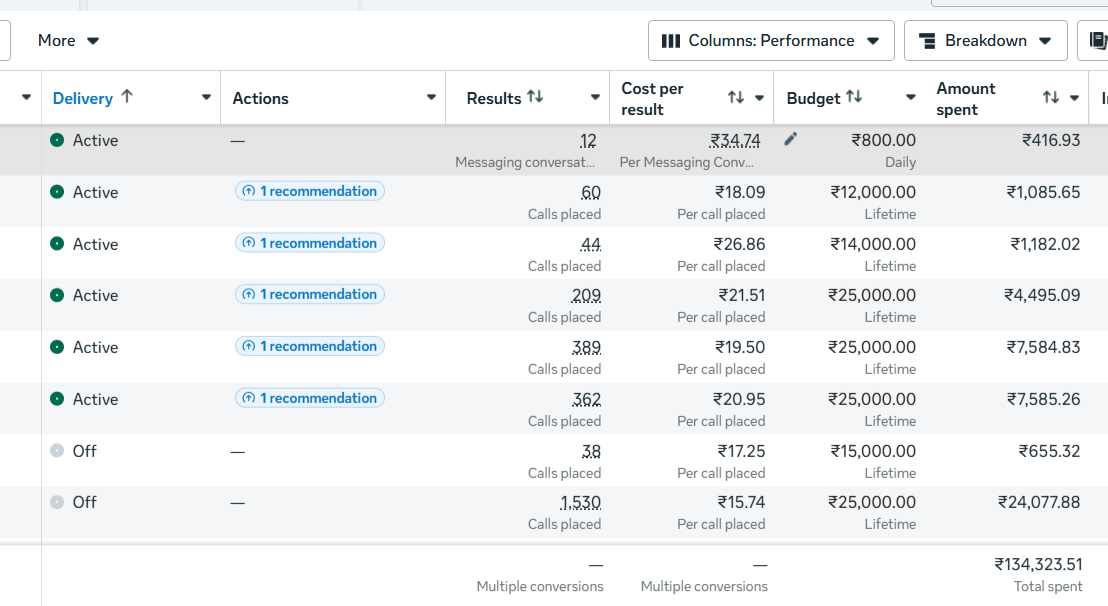
Confirm the correct Meta business assets and WhatsApp business destination, an appropriate campaign objective or messaging setup, geography, budget, audience, placements, creative, call to action and conversation entry point.
Step 4: Target People the Business Can Actually Serve
Start with operational reality: location, service radius and the type of customer the team can serve. Age should be restricted only where genuinely relevant. Businesses can use lawfully available existing data, test interest-based groups, broader audiences and suitable retargeting, but no audience approach is always best.
Use controlled testing and compare downstream quality. A gym in Noida does not benefit from cheap WhatsApp conversations coming from cities it cannot serve. Local businesses should check location quality, not just the cost shown beside each conversation.
Step 5: Create Ads That Prepare the User for a Conversation
A WhatsApp-focused creative should answer: who is this for, what service or product is being discussed, why should the person message, what information will they get and what should happen next?
Useful formats include short vertical videos, founder or expert videos, static posters, problem-focused creatives, FAQ creatives, service explanations, genuine testimonials, AI-assisted videos and carousels where appropriate. Test meaningful concepts—for example, a problem-focused video, an offer-focused poster and an expert explanation—not three versions that only change the button colour.
Explore DigiflyX’s existing AI video creative service for the kind of short-form production support that can be used in a structured creative test.
Step 6: Make the Ad and WhatsApp Conversation Feel Connected
If an ad says “Book a Free Fitness Assessment” but the WhatsApp opening says only “Hello, how can we help?”, the prospect has to explain the context again. That disconnect adds unnecessary friction.
The opening should make it immediately clear that the conversation relates to the ad the person clicked. Keep the service name, offer and next step consistent.
Step 7: Write a Better First WhatsApp Message
Avoid immediately sending a huge block of text. Start with a human, contextual reply that acknowledges the enquiry, mentions the service, asks one useful question and makes the next step easy.
Automation can acknowledge an enquiry or route it to the right person, but the message should still be relevant and readable. The team should know when a human response is needed.
Step 8: Ask Only the Questions Needed to Qualify the Lead
Useful questions can cover location, service interest, expected start date, approximate budget, personal or business use, desired outcome, or the exact project, course or service. Not every business needs every question.
Do not send eight questions at once. Conversational qualification feels more natural and lets the team stop asking questions that are no longer relevant.
WhatsApp Opening Message Examples for Different Businesses
Step 9: Build a Clear Response-Time Process
The business should respond as quickly as its team can consistently manage during working hours. There is no guaranteed universal “five-minute rule”; a dependable process matters more than an unsupported promise.
Set clear ownership, working-hour expectations, missed-enquiry checks, notifications and backup responsibility. Otherwise a strong campaign can fail after the click.
Step 10: Give Every Qualified Conversation a Clear Next Step
Endless chat is not the objective. A qualified clinic lead may need an appointment, a gym lead a trial or consultation, an education lead a counselling call, a property lead a site visit, a B2B lead a quotation or sales call, and a spa lead a booking.
Step 11: Follow Up Without Spamming
Some genuine leads will stop responding because they are busy or not ready. A basic process may include the initial reply, a follow-up after no response, a reminder when appropriate and a final polite check-in. Reduce or stop communication if the person declines or asks not to be contacted.
There is no fixed frequency that is best for every purchase cycle. Match follow-up timing to the service, the person’s response and the team’s responsible communication policy.
Step 12: Track What Happens After the WhatsApp Conversation Starts
Suggested statuses include New, Responded, Contacted, No Response, Not Relevant, Qualified, Appointment Booked, Quotation Sent, Customer and Closed / Not Interested. Use only the statuses your team can update consistently.
Ads Manager may show conversations, but the business also needs actual outcomes. Status data helps explain why a low conversation cost does—or does not—create sales opportunities, and gives useful feedback to the marketing team.
Build a Simple WhatsApp Lead Funnel
Sets the audience, offer and expectation.↓WhatsApp Conversation
The prospect enters with the ad context.↓Initial Response
The business acknowledges and guides.↓Qualification
A few questions confirm relevance.↓Appointment / Consultation / Quote
A clear business action is agreed.↓Follow-Up
Appropriate reminders recover stalled enquiries.↓Customer
The final outcome is recorded.
Metrics to Track for WhatsApp Lead Generation
Do not track only clicks or chat volume. Review ad spend, WhatsApp conversations, cost per conversation, qualified conversations, cost per qualified lead, response rate, appointment or consultation rate, customer conversion rate and revenue or ROAS where attribution is reliable.
Cost per Conversation
Ad Spend ÷ WhatsApp Conversations
Qualified Conversation Rate
Qualified Conversations ÷ Total Conversations × 100
Cost per Qualified WhatsApp Lead
Ad Spend ÷ Qualified WhatsApp Leads
Appointment Rate
Appointments ÷ Qualified Leads × 100
Response Rate
Conversations receiving a useful response, interpreted against working hours.
Customer / Revenue Outcome
Track conversions and ROAS only where attribution is reliable enough.
Why Cheap WhatsApp Conversations Can Be Misleading
Campaign A
- Ad Spend
- ₹12,000
- Conversations
- 80
- Cost / Conversation
- ₹150
- Qualified Leads
- 8
- Cost / Qualified Lead
- ₹1,500
Campaign B
- Ad Spend
- ₹12,000
- Conversations
- 50
- Cost / Conversation
- ₹240
- Qualified Leads
- 20
- Cost / Qualified Lead
- ₹600
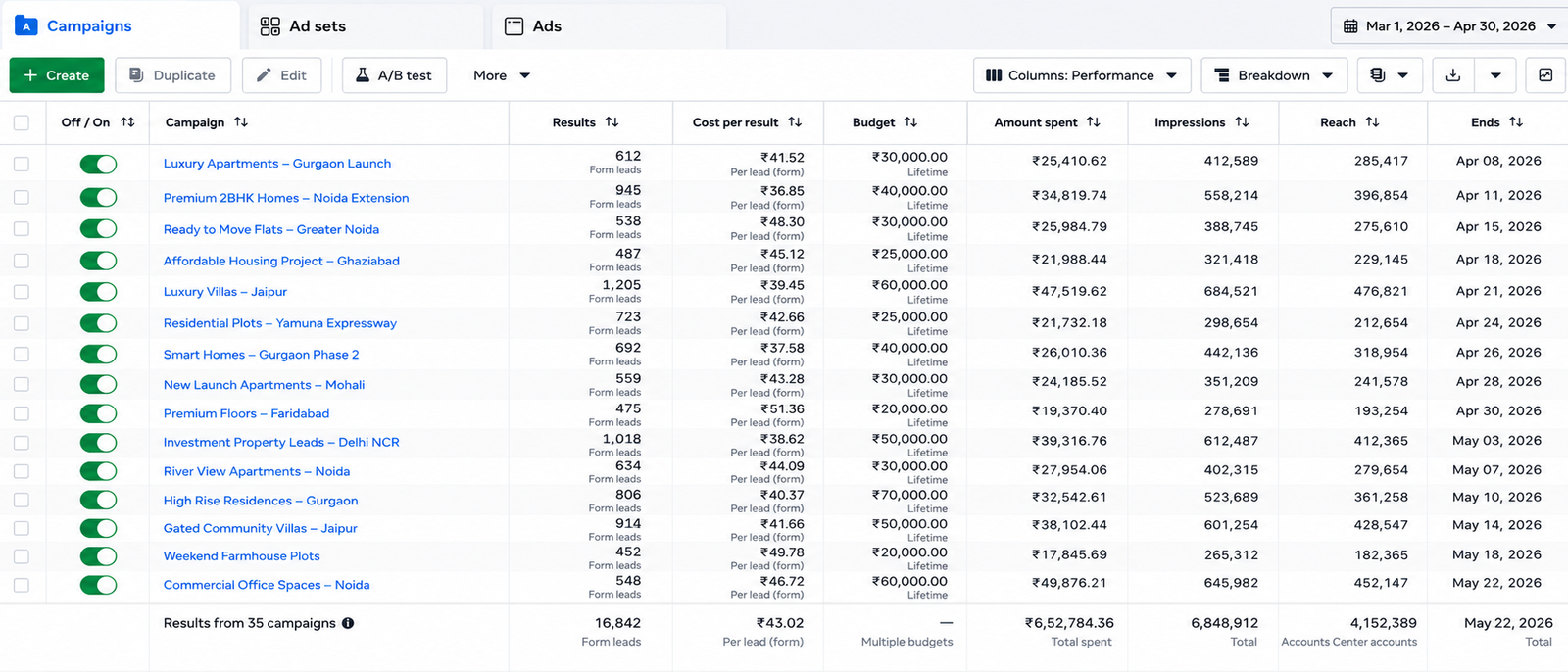
For a deeper explanation of this distinction, read how to reduce Meta Ads cost per lead without losing lead quality.
Common Mistakes That Waste WhatsApp Leads
WhatsApp Lead-Generation Strategy by Industry
Ayurvedic & Wellness
- Offer
- Consultation enquiry
- Qualification
- City + relevant concern
- Next step
- Responsible consultation booking
Healthcare Clinics
- Offer
- Appointment enquiry
- Qualification
- Location + required service
- Next step
- Appointment confirmation
Gym & Fitness
- Offer
- Trial / fitness consultation
- Qualification
- Location + membership need
- Next step
- Trial booking or consultation
Education & Coaching
- Offer
- Course details / counselling
- Qualification
- Course + joining timeline
- Next step
- Counselling call
Real Estate
- Offer
- Project information
- Qualification
- Budget + self-use or investment
- Next step
- Call or site visit
Manufacturing & B2B
- Offer
- Product information
- Qualification
- Location + quantity + requirement
- Next step
- Quotation or sales call
7-Step Checklist Before Launching a WhatsApp Lead Campaign
01—Define the Lead
Agree on location, need, eligibility, budget and timeline.
02—Define the Offer
Give a clear, honest reason to start the conversation.
03—Verify the Destination
Confirm the correct WhatsApp business destination.
04—Create the Ad
Align creative, copy, offer and CTA.
05—Prepare Questions
Choose only the qualification questions the team needs.
06—Assign Follow-Up
Set ownership, working hours and backup responsibility.
07—Set Up Tracking
Record statuses, qualified outcomes and the next action.
Weekly WhatsApp Lead Campaign Review
- Check ad spend.
- Check total conversations.
- Calculate cost per conversation.
- Review qualified conversations.
- Calculate cost per qualified lead.
- Review common enquiry questions.
- Check location quality.
- Check creative performance.
- Check response consistency.
- Review appointment or sales outcomes.
- Identify one meaningful optimization test.
Real conversation feedback should inform advertising decisions. Repeated questions may suggest a creative needs more clarity; repeated irrelevant locations may indicate a targeting issue; and strong intent with weak bookings may indicate a follow-up problem.
When Should You Scale a WhatsApp Lead Campaign?
Scaling may be considered when relevant conversations are consistent, qualification quality is acceptable, the response process works, the team can handle more enquiries, tracking is reliable enough and customer economics make sense.
Doubling the budget does not guarantee twice as many leads. Increase investment carefully, continue watching qualified outcomes and maintain enough team capacity to respond properly.
WhatsApp Ads vs Meta Instant Forms: Which Should You Use?
| Lead route | Best for | Strength | Challenge |
|---|---|---|---|
| Conversation-based enquiries | Direct interaction | Requires fast human follow-up | |
| Meta Instant Form | Structured information collection | Easy in-platform data capture | Can produce low-intent submissions if poorly qualified |
| Website Form | Detailed or high-value enquiries | More control and tracking | More steps and landing-page dependence |
No route is universally better. Test based on the business model, information needed and sales process. The broader Meta Ads lead-generation guide for Indian businesses explains how these capture methods fit into a complete campaign.
Can AI Video Creatives Help Generate WhatsApp Leads?
AI-assisted video can help businesses create service explainers, offer videos, industry-specific videos, promotional creatives and short-form ad variations. It can improve production flexibility, but it does not automatically lower CPL or guarantee better leads.
Creative quality still depends on the message, offer, relevance, clarity and execution. Use AI video generation as part of a meaningful test plan, not as a substitute for strategy.
Handle WhatsApp Leads Responsibly
Do not expose customer phone numbers publicly. Collect only information relevant to the enquiry, avoid unnecessary sensitive details, respect requests to stop communication and be especially careful with healthcare-related information.
Never publish customer chat screenshots without appropriate permission and anonymization. Names, numbers, profile images and private details should be hidden while preserving only the useful lead-flow context. This is practical guidance, not a legal guarantee.
Final Takeaway
Meta Ads and WhatsApp can shorten the journey between advertisement and business conversation, but the messaging platform itself does not guarantee lead quality.
The objective is not to generate the largest number of chats. It is to create more relevant conversations that have a realistic opportunity to become customers. You can review DigiflyX’s existing Meta campaign results, explore the English Blog, or learn about its digital marketing services in Noida.
LET’S TALK
Want to Generate Better WhatsApp Leads from Meta Ads?
DigiflyX helps businesses plan Meta Ads campaigns, WhatsApp lead journeys, creative testing, lead qualification, reporting and ongoing optimization.
Campaign performance, conversation cost and lead quality vary by business type, location, offer, competition, budget and follow-up process.
Frequently Asked Questions
What are Click-to-WhatsApp Ads?
They are Meta advertising experiences that let a person move from an ad on Facebook or Instagram into a WhatsApp conversation with the business. Exact setup names can change, so verify current options in your account.
Are WhatsApp Ads good for lead generation?
They can work well when customers benefit from conversation and the business can respond consistently. Results depend on audience relevance, offer, creative, qualification, follow-up and sales process; the destination alone does not guarantee quality.
How can I get better-quality WhatsApp leads?
Define a qualified lead, target the serviceable location, use a specific offer, explain who the ad is for, match the opening message to the ad, ask a few relevant questions and optimize from actual qualified outcomes.
What should my first WhatsApp message say?
Acknowledge the enquiry, mention the service or offer and ask one useful question. Keep it contextual and human instead of sending a long generic script that asks for every detail at once.
How quickly should I respond to a WhatsApp lead?
Respond as quickly as your team can do helpfully and consistently during working hours. Set ownership, notifications and backup responsibility instead of relying on an unsupported universal response-time promise.
Are WhatsApp Ads better than Meta Instant Forms?
Neither is universally better. WhatsApp supports direct conversation; Instant Forms support structured in-platform capture. Test the route that fits the information required, customer journey and team’s follow-up capability.
How do I measure WhatsApp lead quality?
Record whether each conversation is relevant, contactable and qualified, then track appointments, quotations, customers and cost per qualified lead. Compare those outcomes with ad spend and conversation volume.
Why am I getting irrelevant WhatsApp enquiries?
Common causes include a vague offer, broad or incorrect geography, generic creative, unclear qualification, mismatched ad and chat messages, or optimizing only for low-cost conversations. Review chat feedback to locate the issue.
Can local businesses use WhatsApp Ads?
Yes, especially for appointments, trials, consultations, bookings and visits. Local businesses should keep geography realistic and confirm the location early so cheap but unserviceable conversations do not distort performance.
Should I use automation for WhatsApp follow-up?
Automation can confirm receipt, preserve context, route enquiries and support reminders. It should remain relevant, respect communication preferences and provide a clear path to a human when the conversation requires one.