
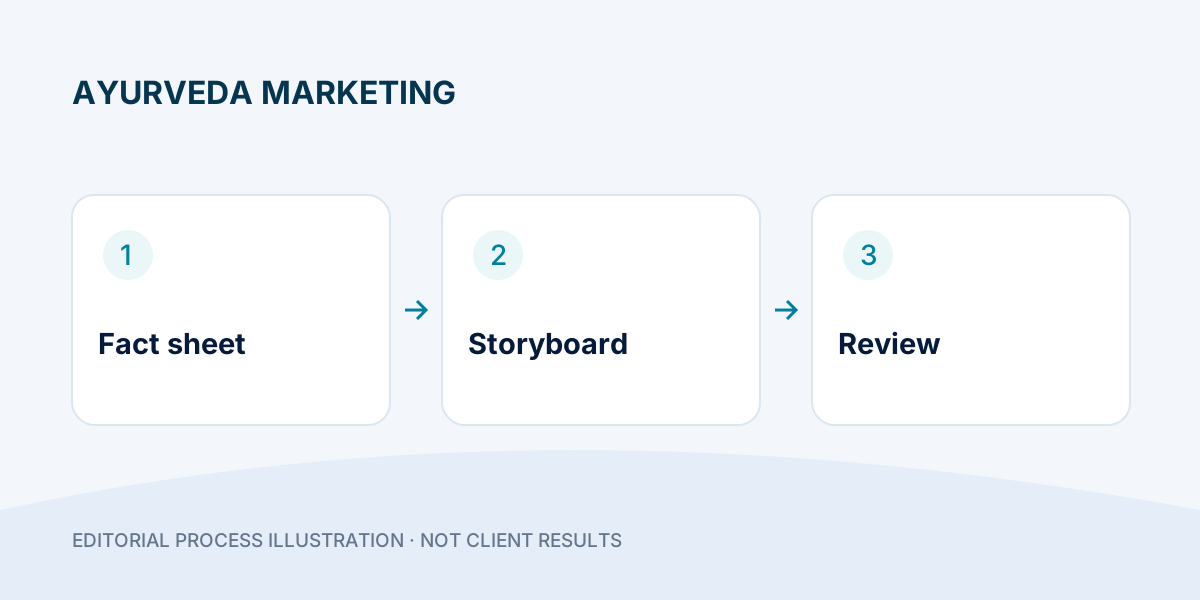
Hand an editor a filmable product-video brief with a clear approval test.
- Turn one buying question into a short shot sequence.
- Link every spoken product statement to an approved source.
- Review captions, sound and destination as one journey.
An Ayurveda product video should help a viewer understand what is being shown, which information is available and what to do next. A polished edit cannot repair an unclear brief or an unsupported claim. Before filming, give the team a small, approved information pack and one question to answer. The following workflow is for marketing communication; it is not medical guidance or a substitute for reviewing advertising requirements that apply to the product.
Step 1: Choose one job for the video
Decide whether the video introduces a product, explains its packaging, answers a buying question or shows how to find product information. Do not combine every benefit, the founder's story, a price announcement and a distributor pitch into one short creative. Write the desired next action in a sentence: “The viewer can open the product information page and check the available pack.” This is clearer than “make a viral video.”
For an Ayurvedic medicine brand, a product-information video and a retailer enquiry video serve different people. Prepare separate briefs instead of changing only the final button. The retailer version can discuss how to request current commercial information without making promises about demand, margins or territory availability.
Step 2: Build a factual source pack
Collect current packaging photographs, approved product descriptions, correct pack sizes and the exact destination page. Assign someone who can confirm product facts. Record where each spoken statement came from and who approved it. An ingredient name is not permission to invent a treatment benefit. Do not turn a supplier's unsupported statement, an AI-generated sentence or a social-media comment into a verified product claim.
- Confirm the product and brand spelling against the current pack.
- Separate approved facts from ideas that still need review.
- Check that shown packaging matches the item currently offered.
- Remove patient information, private contact details and unrelated account screens.
- Leave uncertain clinical, safety or regulatory assertions out of the creative until reviewed.
Step 3: Write a simple three-part script
Start with the viewer's practical question, show the relevant product information, then give one next step. Avoid diagnosing the viewer or implying that everyone with a particular concern should buy the product. Keep the spoken wording natural enough for a customer to understand without reading the entire caption.
Illustrative structure: “Want to check what is on the pack before enquiring? Here is the current label and pack information. Open the product page for details, then contact the team with your buying question.” Adapt this only to information the real product page actually provides.
This example is a communication pattern, not a claim about any DigiFlyX client or product. A brand's own approved wording should replace the example before publication.
Step 4: Give every shot a purpose and an exit test
Write four columns before editing: time range, asset, message and acceptance check. A pack shot establishes identity; a close-up makes a detail readable; a page view shows where to find more information; the final shot explains one next action. If two shots repeat the same message, remove one instead of making the video longer.
Use current packaging and an uncluttered background. Keep important label text visible and check the actual placement on a phone. Label illustrative animation when it could be mistaken for a real manufacturing process, clinical demonstration or customer result. The storyboard below is a planning example, not an instruction to invent missing footage.
Step 5: Review meaning, sound and destination together
Watch once without sound and once with sound. Captions should convey the same meaning as the voice, including any necessary qualification. Check that music does not bury speech and that subtitles do not change product names. Then open the destination page: its product, available information and next action must match the video. A strong creative that sends viewers to an unrelated page creates avoidable confusion.
Use a short approval record with script version, asset version, reviewer and unresolved points. Approval of the visuals is not automatically approval of the spoken claims. Keep both decisions visible before release.
Step 6: Improve one element at a time
After publication, record which practical questions viewers still ask. If people cannot identify the pack, improve the opening shot. If the next action is unclear, improve the closing instruction. Change one major element per comparison and retain the earlier approved version. Do not present a new edit as proven to sell better before evidence exists.
For production support, explore DigiFlyX video creatives. Review the destination alongside the landing-page structure so the message stays consistent.
The handover should contain decisions, not just files
- Brief: audience, question, next action and destination URL.
- Evidence: current pack assets and the source of each product statement.
- Edit plan: shot sequence, captions, voice script and language versions.
- Approval: named fact reviewer, visual reviewer, version and outstanding corrections.
A useful rejection note is specific: “The pack name cannot be read at phone size,” rather than “Make it premium.” Give the editor an observable change to make.
Common questions
Can AI help write the script?
It can help organise an approved brief or suggest alternative wording. A person still needs to check every product statement, image and translation against the real information pack.
Should every video include every product detail?
No. Answer one buying question clearly and link to complete, accurate information. Do not omit a qualification if doing so would change the meaning of the message.
Can one version work in Hindi and English?
The same shot plan may work, but review each script, caption and voice separately. A literal translation can change the strength of a claim or make a simple instruction difficult to follow.
Storyboard: a 24-second product-information video
Illustrative production exercise—not a real client ad, approved medical claim or promised video duration. The task is to help a viewer locate pack information before asking a buying question. Replace placeholders with reviewed facts from the actual pack.
| Time | What appears | Message and review test |
|---|---|---|
| 0–4 seconds | Current pack, upright and readable | “Check the pack before enquiring.” Product name must be legible on a phone. |
| 4–10 seconds | Label close-up | Identify where the pack details appear. Do not add a treatment benefit. |
| 10–18 seconds | The matching product-information page | Show how to find the same item. Confirm the page is current and readable. |
| 18–24 seconds | One clear closing instruction | “Open the product page, then ask your buying question.” Check the actual destination. |
Three-pass review: watch muted for comprehension, listen without looking for factual meaning, then play on a phone and open the destination. Record the script version and unresolved points. A failed check returns the draft to editing; attractive visuals alone are not approval.